Showcase · DBAI internal system
AI builds need more than a chat history.
DBAI Build Command Center is the private workspace around the work. It keeps plans, tasks, activity, deliverables, decisions and checks together without turning an agent's completion message into a release decision.
A software build can cross sessions, tools, contributors and repositories. The conversation ends; the build continues. Command Center gives that work a persistent record so the next person can see what changed, what remains blocked, what evidence exists and which decision still belongs to a human.
- Category
- AI development operations
- Ownership
- DBAI internal system
- Access
- Private and Google-authenticated
- Origin
- Created to operate the DBAI website rebuild, then extended to hold multiple programs
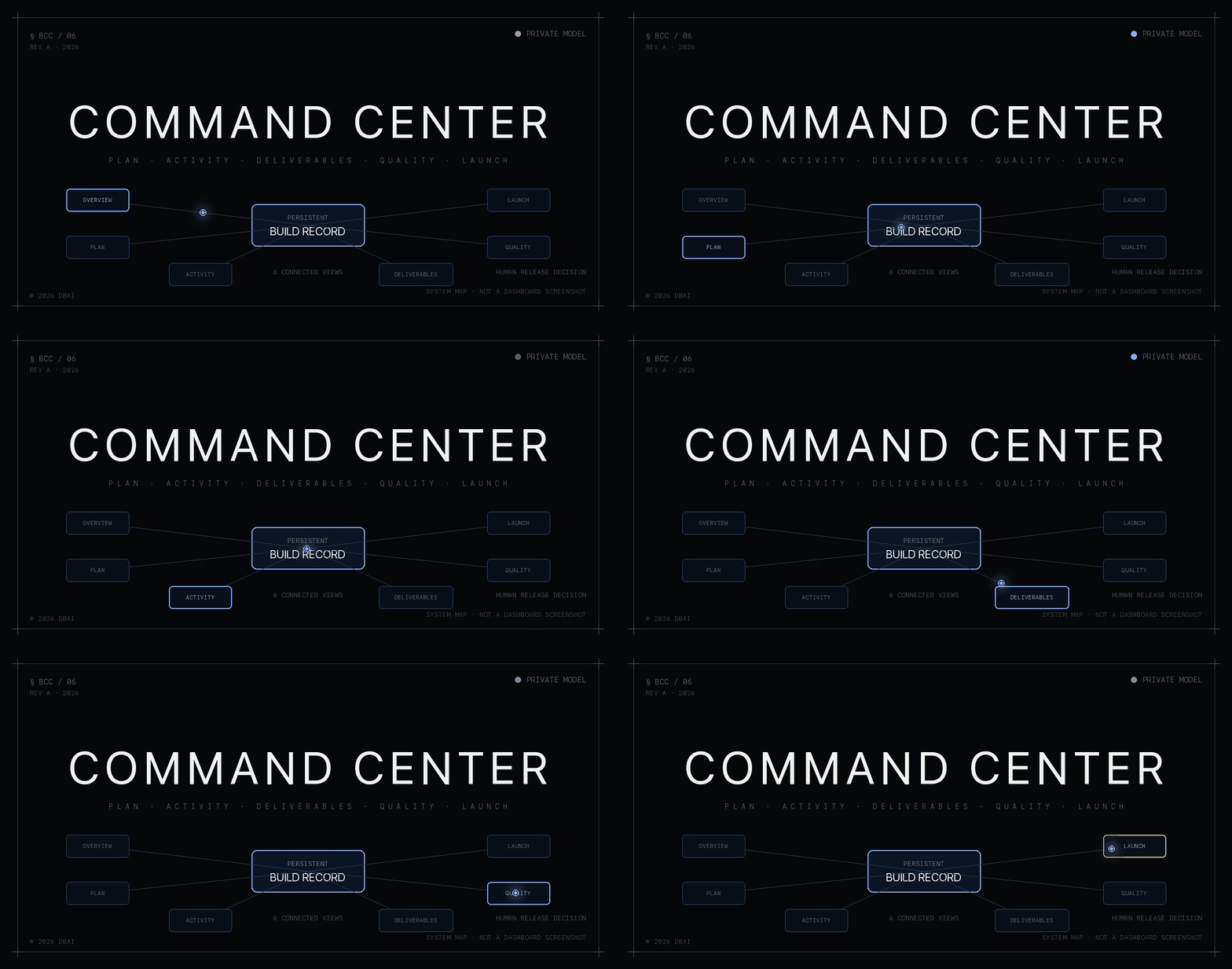
Private system · Animated system map
The record around the work
01 · Why it exists
The conversation ends. The build continues.
A final response is useful context. It is not the durable operating record a multi-stage build needs.
Keep the plan attached
Phases, tasks, ownership, page stages and acceptance criteria stay with the project instead of being reconstructed from a transcript.
See more than a status
Activity sits beside deliverables, decisions and blockers, making the next action visible without treating motion as progress.
Ask for the evidence
Quality checks and launch readiness remain part of the same record. A completion message never substitutes for testing the behavior people will use.
02 · Inside the system
Follow the work. Inspect the detail.
Explore the six connected views verified in the current application source. The diagrams explain how each view is used; they are not dashboard screenshots or live telemetry.
Module 01
Start with the state of the build.
Bring task-derived progress, current work and open blockers into one starting point.
- Project and phase progress
- Agent activity and recent deliverables
- Open blockers and QA health
03 · The delivery standard
A build is not done because an agent says so.
The workspace supports a reviewed delivery process. The sequence can move backward whenever review or testing finds something that needs another implementation pass.
- 01
Define
State the user outcome, scope, ownership and acceptance criteria before implementation begins.
- 02
Build
Implement the assigned work and attach the resulting files, records and decisions to its project context.
- 03
Review
Inspect the actual change against the brief. Findings return the work to implementation rather than being filed as decoration.
- 04
Verify
Run the behavior, check relevant success and failure states, and rerun checks after a fix.
- 05
Approve
Bring the evidence and unresolved issues to the person who owns the release decision.
04 · Architecture
Execution and oversight have different jobs.
The coding tools perform the work. Command Center keeps the structured record around that work and serves it through an authenticated workspace.
| Layer | Current implementation | Job |
|---|---|---|
| Execution | Claude Code hooks + tracker CLI | Send scoped lifecycle and project updates into the record |
| Application | Next.js 16 + TypeScript | Render the authenticated operational workspace |
| Data | Neon PostgreSQL + Drizzle | Store project, activity, QA, decision and launch records |
| Access | Auth.js + Google allowlist | Keep private project records behind authenticated access |
The source verifies Claude Code lifecycle hooks. DBAI uses other AI tools in its work, but this page does not present those tools as connected Command Center adapters without implementation evidence.
05 · The first application
Build the system. Then use it to build.
DBAI created Command Center for its own website rebuild. The existing WordPress site supplied the source material; the new public site and the private operational workspace had separate responsibilities.
The public site tells the finished story. Command Center retains the implementation record behind it: the phases, page work, activity, outputs, checks and release state. DAOS now runs as a governed program inside that broader system.
Why it is on this site
Visibility without pretending certainty.
Records are not proof. They make the evidence easier to find and the gaps harder to hide, but the actual behavior still has to be inspected.
Demo activity remains labeled, private records remain private, and release decisions remain human decisions. Those boundaries are part of the product story because they are part of how DBAI operates the work.
Private walkthrough
See how the workspace fits your build process.
Command Center is a private internal system rather than a self-service product. Request a walkthrough to explore the operating model without sending public visitors into an authenticated project workspace.
Authorized operators access the private workspace at build.dbai.agency (opens in a new tab)
What is your AI build leaving behind?
Bring us the workflow, the tools and the gaps between them. We will map what needs to be tracked, reviewed and approved.
Book a Discovery Call